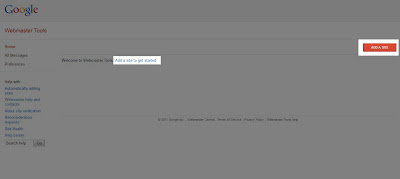
2) Click on the “Add a site” button at the top of the screen.
What is Blogger?
According to the Computer Desktop Encyclopedia, Blogger is: "A Web site launched in
1999 from Pyra Labs, San Francisco, CA (www.blogger.com) that provides
the tools for creating blogs (Weblogs). After users select a
pre-designed template or create one with their look and feel, every
posting entered on Blogger is published to the Blogger page on their Web
site automatically. In early 2003, Blogger was acquired by Google. "
This navigation bar gets semi-transparent when you scroll down the page
and is slightly showing up by fading out and becoming almost
transparent. When the user hovers over it, the menu becomes opaque
again.
Inside of the navigation there are some links, a search input and a top
and bottom button that allows the user to navigate to the top or bottom
of the page.
To change your blog's date header color and font style, you can do it
with a very simple CSS adjustment that will make the date header to
float on the left side of your post and to be partially out of the
structure like a banner with a colorful appearance.
See the result in the image below:
When there are no comments made to your posts, there's a link that says
'Be the First to
comment!' and when there is just one comment it says '1 comment so far'.
If you want to make your blog more stylish by replacing these texts
with some cute small icons along with the default Author Name, Post
Date, Labels and Comments... then just follow the next steps:
